You need to register Excel Toolbar to activate your corporate account to cloud services.
Start Excel and following screen is opened:
Invalid license code warning.
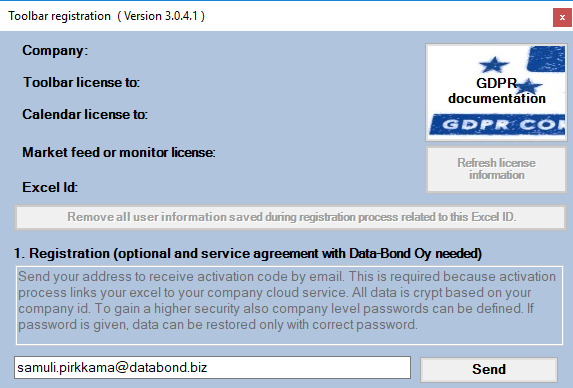
Click ‘OK’. Registration screen, Figure 11, is opened:
Registration screen.
Give your corporate email address and click on Send.
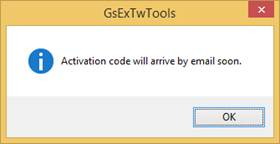
Activation code dialogue.
Click ‘OK’ to close the dialogue.
Personal Activation code should be in your Inbox soon. If it is not there check your Junk mailbox.
Activation code in email.
Copy activation code from your email.
Registration screen.
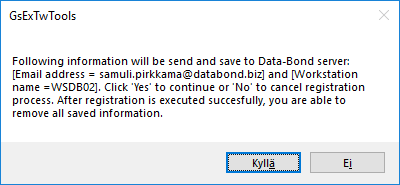
Insert the code to Activation code -field in the Registration screen and click ‘Activate’. You should see following information dialogue, Figure 15.
Information dialogue.
Click on Yes
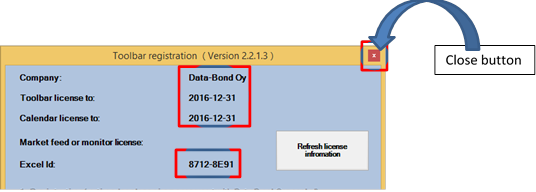
Registration screen is updated.
License info is updated and unique ID created in the Toolbar Registration screen.
Close Registration screen from the close button in upper right corner.
Restart Excel.